
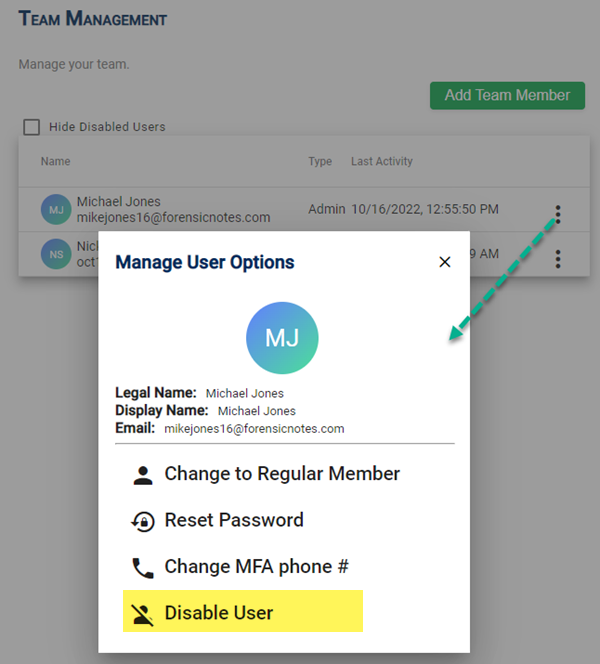
Admins have the ability to manage all team members in the "Team Management" section. This includes the ability to Disable Users.
Disabled Users: Admins will continue to have FULL ACCESS to disabled users' notes and entries. No information is deleted when a user is disabled. Disabled users can be Enabled at any time.

Step 1: Select Disable User
Step 2: Confirmation
The user's access will be instantly disabled.

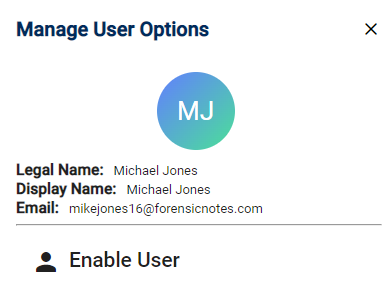
Re-Enable a User
The menu for the user will change to only include "Enable User".
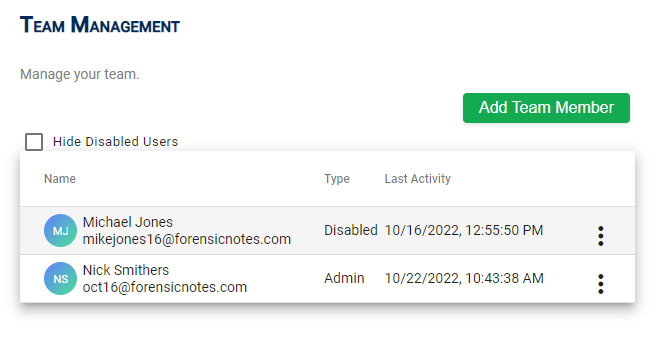
Disabled Users: Admins will continue to have FULL ACCESS to disabled users' notes and entries. No information is deleted when a user is disabled. Disabled users can be Enabled at any time.