
Overview
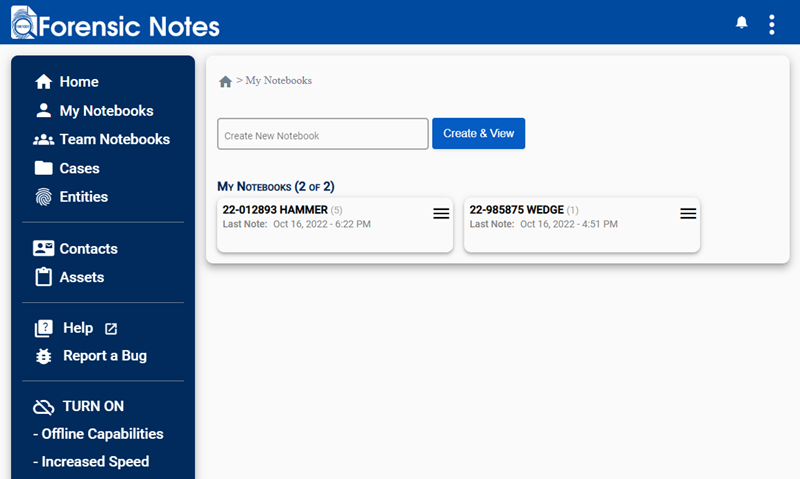
Desktop Interface
Mobile Interface
Mobile Menu
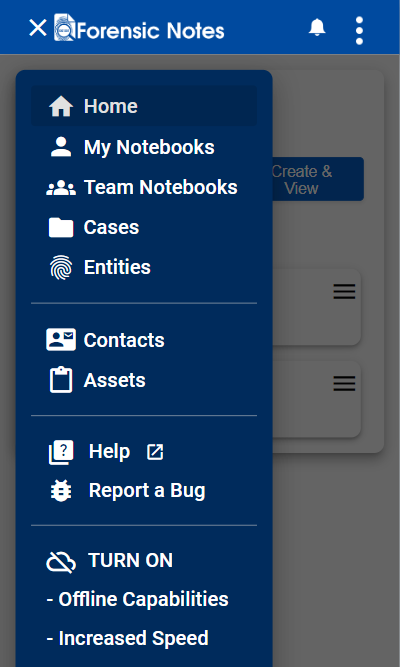
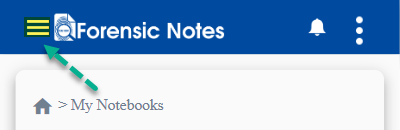
The side menu is hidden on mobile devices and can be displayed by clicking the menu icon in the upper left corner.
Side Menu Overview
Home
Main Dashboard which will include statistics and calendars for tasks to be completed.
My Notebooks
Includes all Forensic Notebooks that have been created by you.
Team Notebooks
Includes all Forensic Notebooks of team members within your organization. This section is only visible if you have the proper access rights.
Cases / Projects / Files
Case Management System (CMS) to manage larger projects and investigations.
Note: The title of this section is customizable in: Main Menu > Profile & Settings > Case Management
Entities
Person Entities added to notes will be displayed here for quick reference and access.
Contacts
Internal and External contact lists.
Assets
Manage your software and hardware assets.
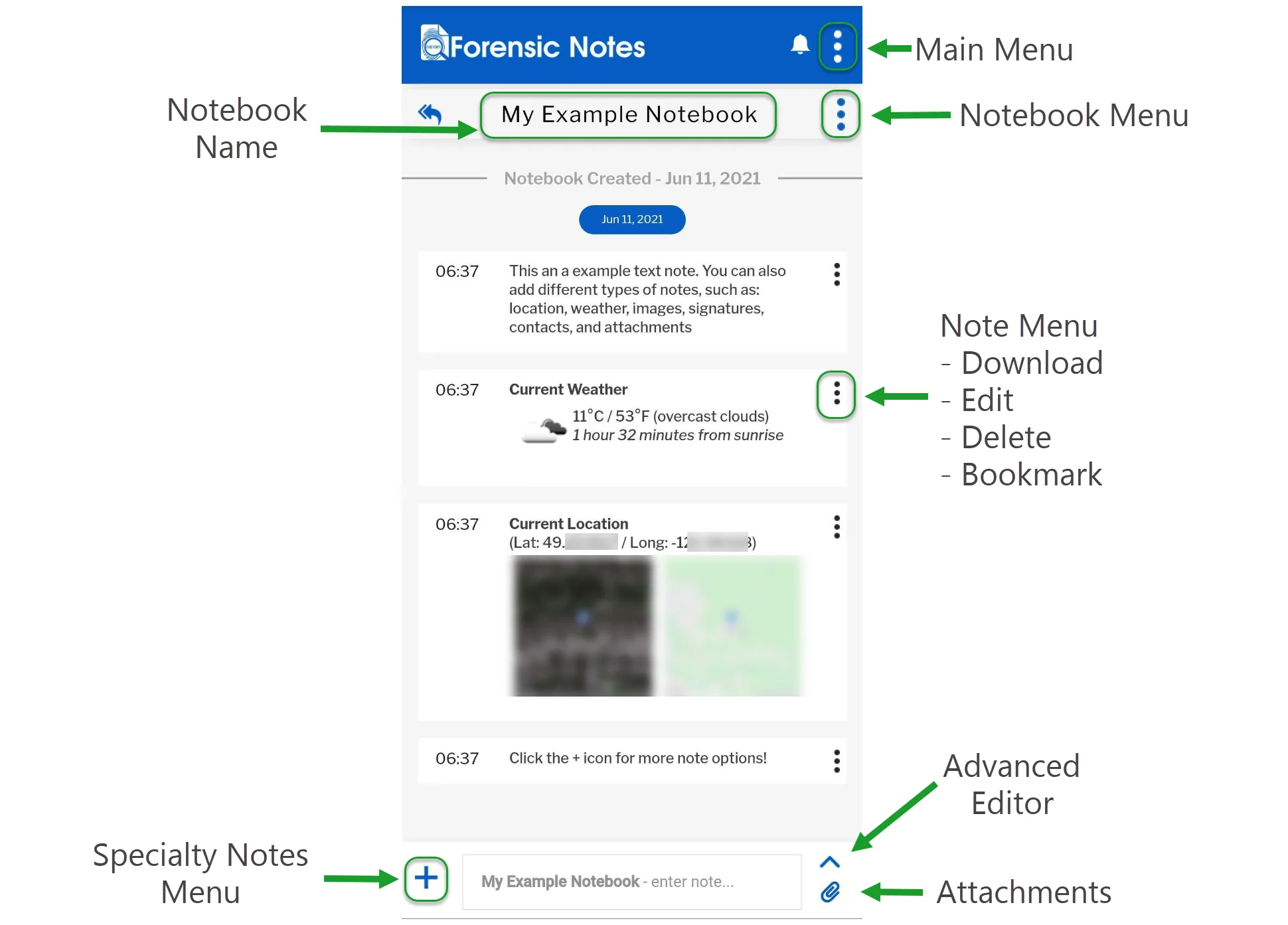
Notebook Menu
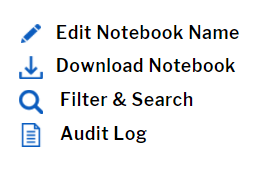
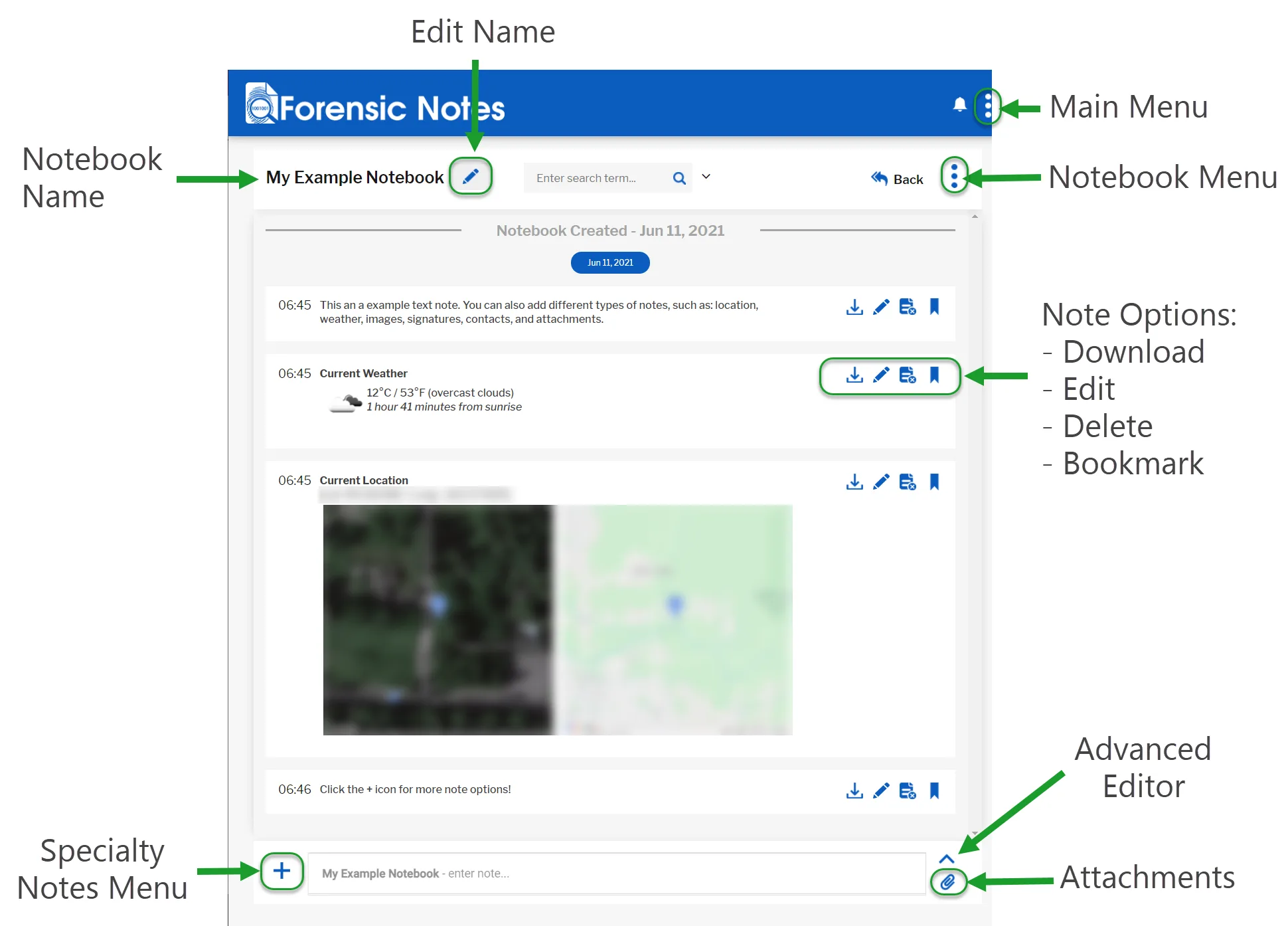
Click or tap the ellipsis menu icon to:
- Edit Notebook Name
- Download Notebook
- Filter & Search
- Access Audit Logs
Note Menu / Options
In desktop view you will see all four note options available. In mobile view the options appear in a menu when you tap the note ellipsis menu icon.
- Download (a specific note)
- Edit
- Mark as Deleted
- Bookmark
Advanced Editor
Tap the Advanced Editor icon to expand the text editor to full screen. The Advanced Editor provides more options for formatting text, such as adding:
- Bold
- Italics
- Underline
- And more...
You can add attachments to your notes, such as documents, images, videos, audio, etc. In Desktop view you can also drag and drop images to embed them directly in your notes.
Attachments
Tap the attachments icon to add files as notes. On a mobile device you can also allow access to your camera to take photos and videos and immediately add them to your notes.
The images and videos will be hashed and timestamped like all of your other notes.
Specialty Notes Menu
Tap the + icon to open the specialty notes menu. This allows you to quickly add specific types of notes:
- Location (both satellite and map view)
- Current Weather (based on your GPS or IP address location)
- Contacts
- Signatures